
Perfecting the Agent Loop
A builder’s field notes

This document distilled my journey of building an LLM agent loop, from a minimal “tool-using while-loop” to a more robust system with clear termination, safety rails, context management, and scalable tool exposure.
The Core Agent Loop
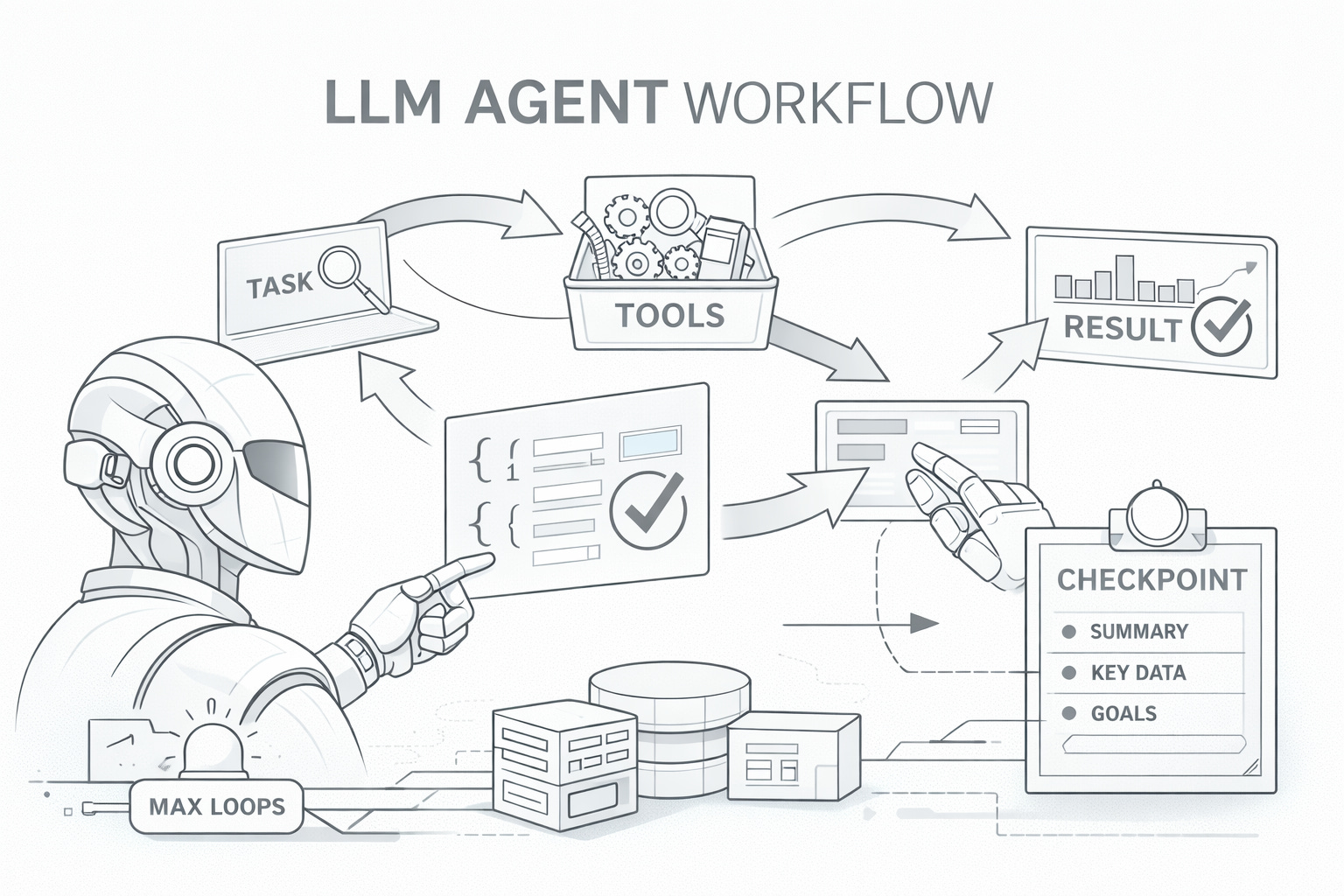
Every LLM agent follows a fundamental pattern: send a task to the model, let it decide which tools to call, execute those tools, feed results back, and repeat until the task is complete. The initial implementation captured this essence:
exec(task, tools, response_schema):
    tools_for_llm = convert_tools(tools) + [complete_task(response_schema)]
    messages = [system_prompt, user_task]

    while True:
        response = llm.call(messages, tools_for_llm)

        if response.tool == "complete_task":
            return parse(response.args, response_schema)

        result = execute_tool(response.tool, response.args)
        messages.append(tool_result(result))
This loop is deceptively simple: it delegates planning to the model and uses tools as the interface between “reasoning” and “doing.” Everything else in this document is essentially about making this loop reliable under real-world constraints.
The complete_task Tool
One of the early decisions was introducing complete_task as a special tool.
The initial driver was pragmatic: the agent loop lived inside a workflow-first codebase, and downstream steps required structured, machine-parseable data.
The complete_task pattern solves this by injecting a schema as a tool definition. The LLM sees it as just another tool it can call, but calling it means “I’m done, here’s my structured answer.” This approach has several benefits:
Schema enforcement: The LLM must provide data matching the schema or the call fails validation.
Clear termination signal: We know exactly when the agent considers itself done.
Type safety: The response is automatically validated and parsed into a Pydantic model.
In practice, complete_task becomes the agent’s “return statement.”
Adding Robustness
Preventing Infinite Loops with max_loops
A common failure modes in agent systems is the infinite loop. An LLM might get confused, repeatedly call the same tool expecting different results, or enter a cycle where it keeps asking for more information without making progress. In production, this translates to runaway costs and hung requests.
loop_count = 0
while loop_count < MAX_LOOPS:
    loop_count++
    # ... agent logic

    if approaching_limit:
        nudge_llm("FINISH NOW: Call complete_task")

raise "Max loops exceeded"
The nudge mechanism is particularly important. Rather than abruptly killing the agent when it hits the limit, the system warns it as it approaches. This gives the model a chance to summarize, make a best-effort decision, and terminate cleanly.
A subtle design note: the nudge should be framed as an instruction about termination, not as a reprimand. You can also enforce this mechanically by setting the next turn’s tool_choice to complete_task, forcing the model to terminate with a schema-valid final answer.
CallerState: Conversation Persistence
The OpenAI Response API’s previous_response_id feature enables efficient multi-turn conversations — subsequent turns don’t need to resend the full history.
But for chatbot-style interactions, we needed to persist this ID across separate invocations, where a user might send multiple messages over time.
The design is to store what’s necessary to resume a conversation: the Response API’s conversation ID and the list of tools the agent has acquired (more on this in the next section).
RequestContext: Request-Scoped Data
As the agent matured, tools needed access to contextual information: Who is the current user? What’s the request ID for logging? How much of the context window has been consumed?
We solved this using Python’s contextvars, which provide thread-local storage that works correctly with async code and thread pools:
RequestContext:
    request_id, user_id, channel_id
    max_response_size, context_window, usage_ratio
    model, temperature
    extra: {}

# Agent sets context before executing tools
with request_context_scope(context):
    execute_tools(...)

# Tools read context when needed
def my_tool(params):
    ctx = get_request_context()
    if ctx.usage_ratio > 0.7:
        # Adjust behavior when context filling up
This pattern enabled sophisticated behaviors and tools become “context-aware” without manual parameter threading. For example, tools can check usage_ratio and return more concise responses when context is running low.
Managing Tool Response Sizes
Large tool responses created a subtle but serious problem. Imagine a tool that fetches a large document or queries a database returning thousands of rows. The raw response might be useful, but it consumes precious context window space. Worse, if the response is too large, subsequent turns have less room for reasoning, and the agent’s performance degrades.
The solution was to enforce size limits with actionable feedback:
check_response_size(output):
    if len(output) > MAX_SIZE:
        return error_message + preview(output, 5%)
    return output
The critical design decision here was not to silently truncate. Silent truncation leaves the LLM confused: it sees partial data without understanding why. Instead, we return an explicit error message explaining what happened, along with a small preview of the content. This gives the LLM enough information to adjust its strategy, perhaps by adding filters to narrow down results or requesting pagination.
Common strategies:
Tools can shrink outputs:
compact=truereturn only essential fields / summary instead of full payload.search=…/query=…retrieve only matching sections/rows rather than whole documents.time_range=…/where=…constrain by date, status, IDs, partitions, etc.
Add “save to file / persist result” as a first-class escape hatch for large outputs:
Return a handle (
file_id/ URI) + metadata (row count, schema, bytes, checksum).Let downstream tools consume the handle directly (parser/analyzer/visualizer) without re-inlining content.
This pattern of “fail loudly with helpful context” recurs throughout the agent. LLMs are remarkably good at adapting when you tell them what went wrong.
Progressive Tool Disclosure
As the tool library grew, we encountered three related problems:
Token overhead: Each tool definition consumes context window tokens. With 50+ tools, the definitions alone might use 10-15% of available context before the conversation even begins.
Decision paralysis: LLMs perform worse when presented with too many options. Given 50 tools, the model spends more reasoning capacity deciding which tool to use rather than how to use it effectively.
Context exhaustion: Long-running tasks accumulate tool calls and results, eventually hitting context limits. The agent would fail partway through complex tasks.
The core insight was that most tasks don’t need most tools. Instead of exposing everything up front, we let the agent request tools as needed:
Agent:
    full_tools = [all 50+ tools]
    always_attached = [core tools from exec()]
    acquired = []

    get_current_tools():
        return always_attached + acquired

    acquire_tools(names):
        for name in names:
            if name in full_tools and name not in current:
                acquired.append(full_tools[name])
The acquire_tools tool itself is special, its description includes a summary of all available tools, so the LLM can discover capabilities without paying the token cost of full definitions.
This reduced baseline token usage and, somewhat surprisingly, improved task success rates. With fewer tools visible, the agent made better decisions with the tools it could see.
We also added an on_acquired hook so tools can inject context when they’re acquired:
ToolClass:
    on_acquired: () -> Optional[str]

# When tool acquired, append its context prompt
for tool in newly_acquired:
    if tool.on_acquired:
        context_prompts.append(tool.on_acquired())
This might include usage examples, schema definitions, or important caveats. The LLM receives this context exactly when it’s relevant.
Checkpoint and Restart
Some tasks are genuinely long-running. A deep research task might require dozens of tool calls, accumulating results that eventually exhaust the context window.
Rather than failing, we wanted the agent to gracefully compress its progress and continue:
should_expose_checkpoint(loop, usage_ratio):
    return usage_ratio > 0.8 and loops_remaining > 50%

checkpoint_and_restart(summary, key_data, remaining_goals):
    # LLM compresses progress into structured checkpoint
    restart_with_fresh_context(
        original_task + checkpoint_context
    )
The checkpoint_and_restart tool only appears when context is running low but there’s still meaningful work to do (loops remaining).
The agent then restarts with a fresh context window, but the original task now includes the checkpoint information. The new conversation has full context capacity to continue the work.